Product tour
What the patient actually sees.
Real screens from the patient portal, on a synthetic patient. The staff console is not on this page — we walk through that with you directly.
Prep progress
A number that moves.
Prep is a sequence of things done over a week, not a single appointment to remember. The portal opens on how far along the patient is, and that figure changes as each step is marked done.
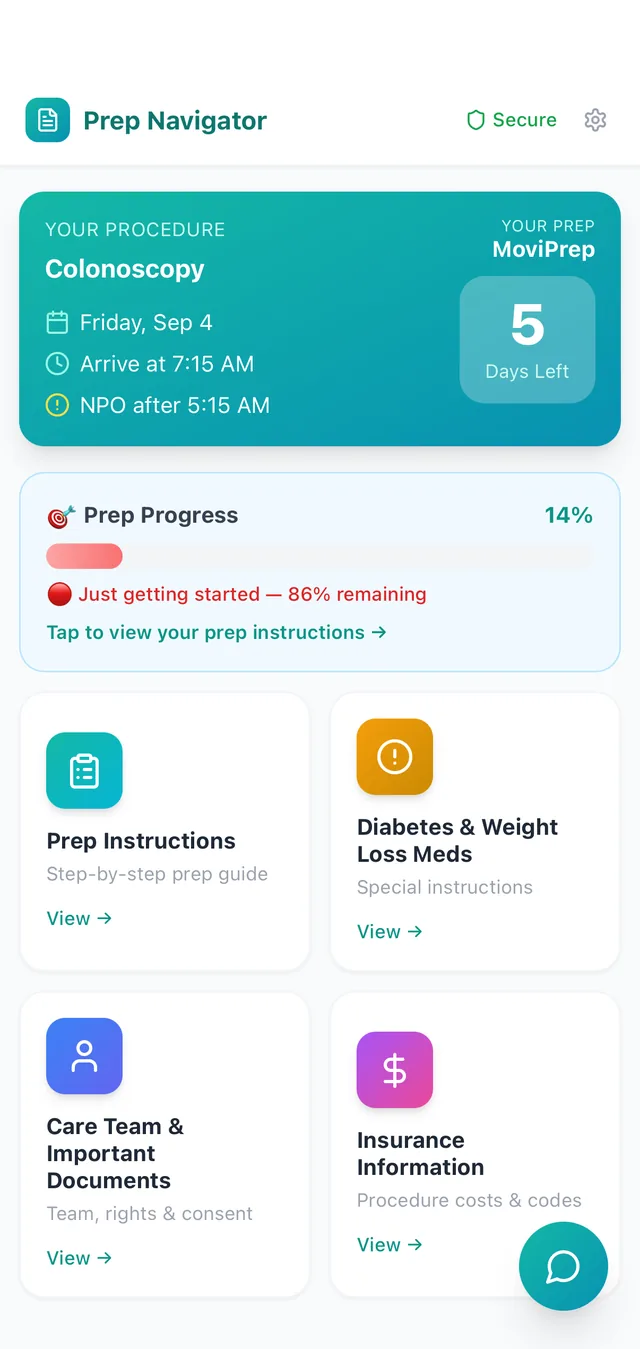
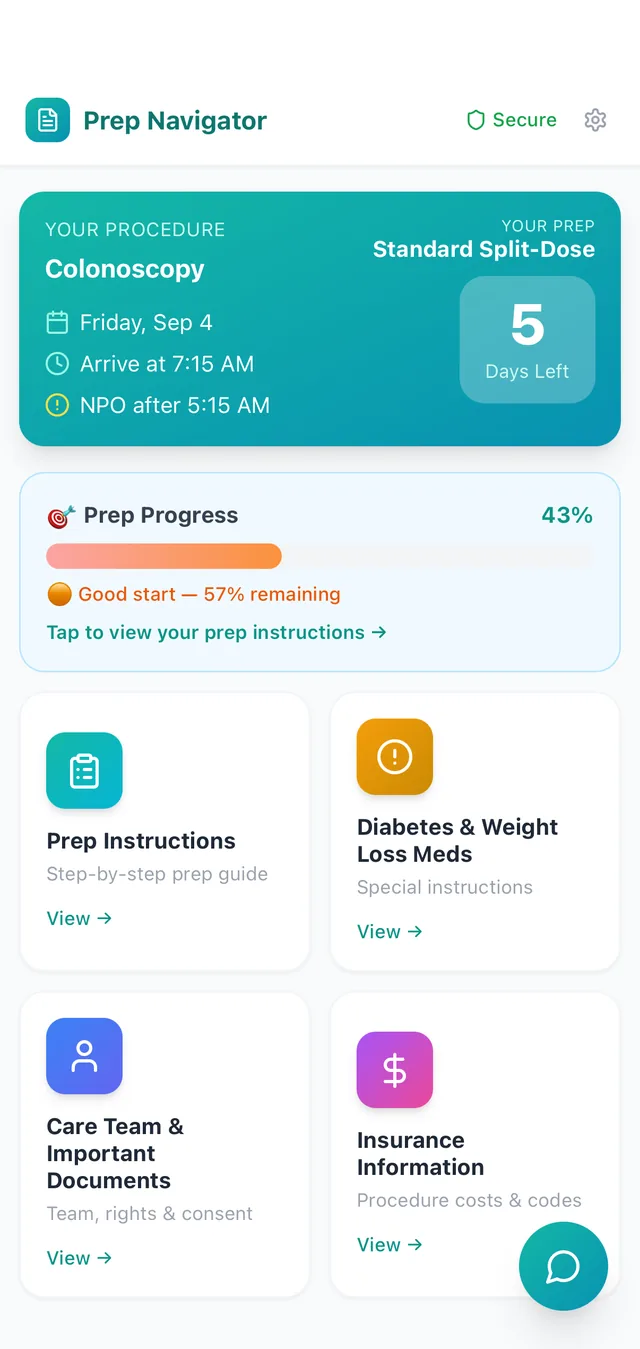
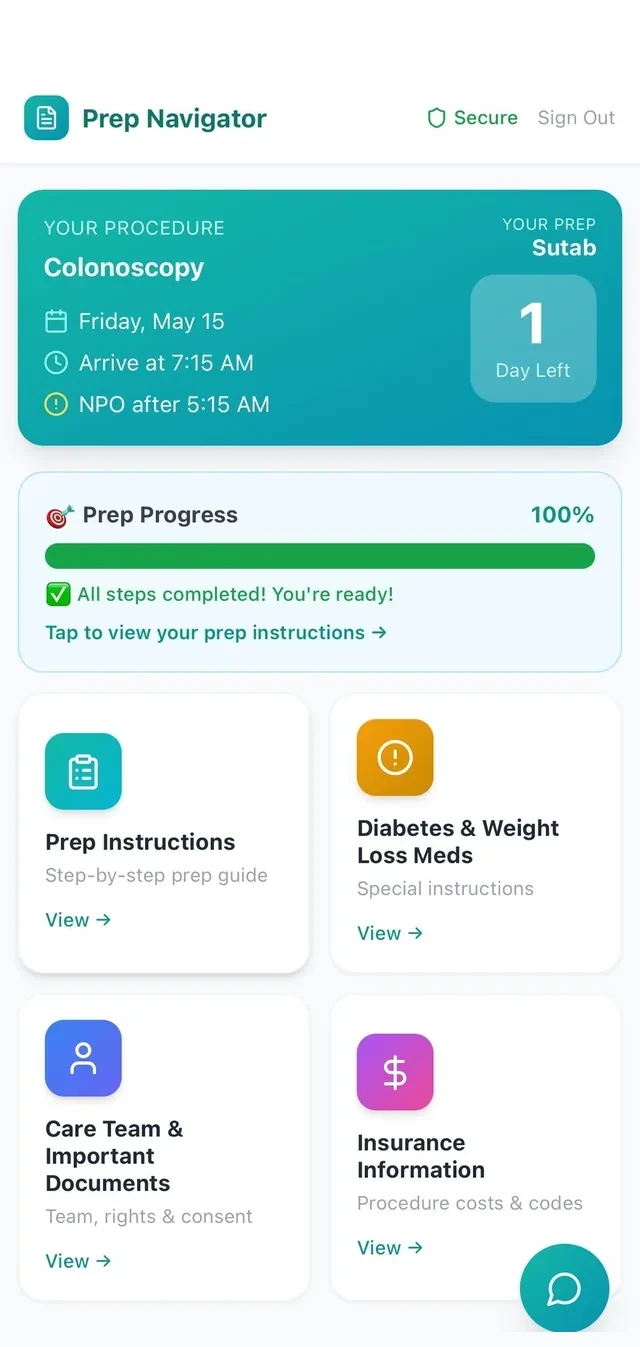
- A single percentage, with what is still outstanding stated in words beside it
- The bar runs red to amber to green, so a patient who has barely started does not look the same as one who is ready
- At 100% it says so outright — all steps completed, you're ready — rather than leaving a full bar to be interpreted
- The prep named on the card is the one that patient was prescribed; the three screens here are on three different protocols
- Tapping through goes straight to the step that is due next
Prescription pickup and medication holds
What to pick up, and what to stop.
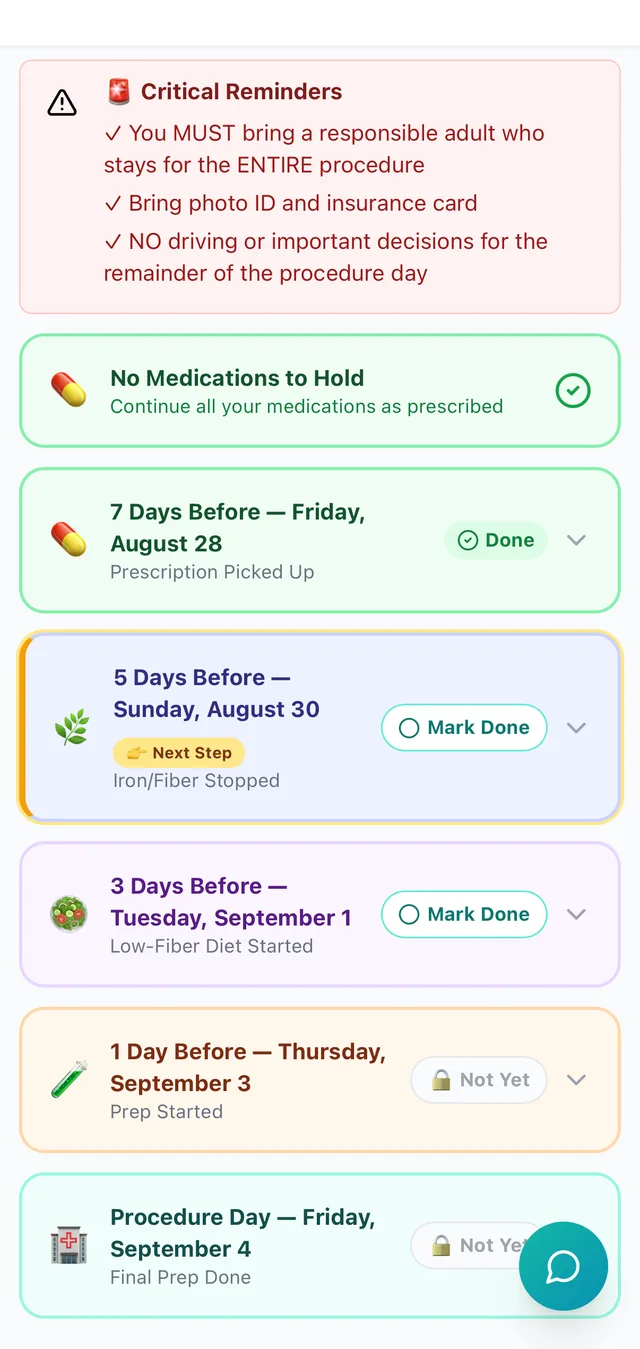
Two things have to be settled before the prep itself begins: everything the patient needs has to be in the house, and anything that has to stop has to stop on the right day. Both arrive as dated steps rather than rules the patient is left to apply themselves.
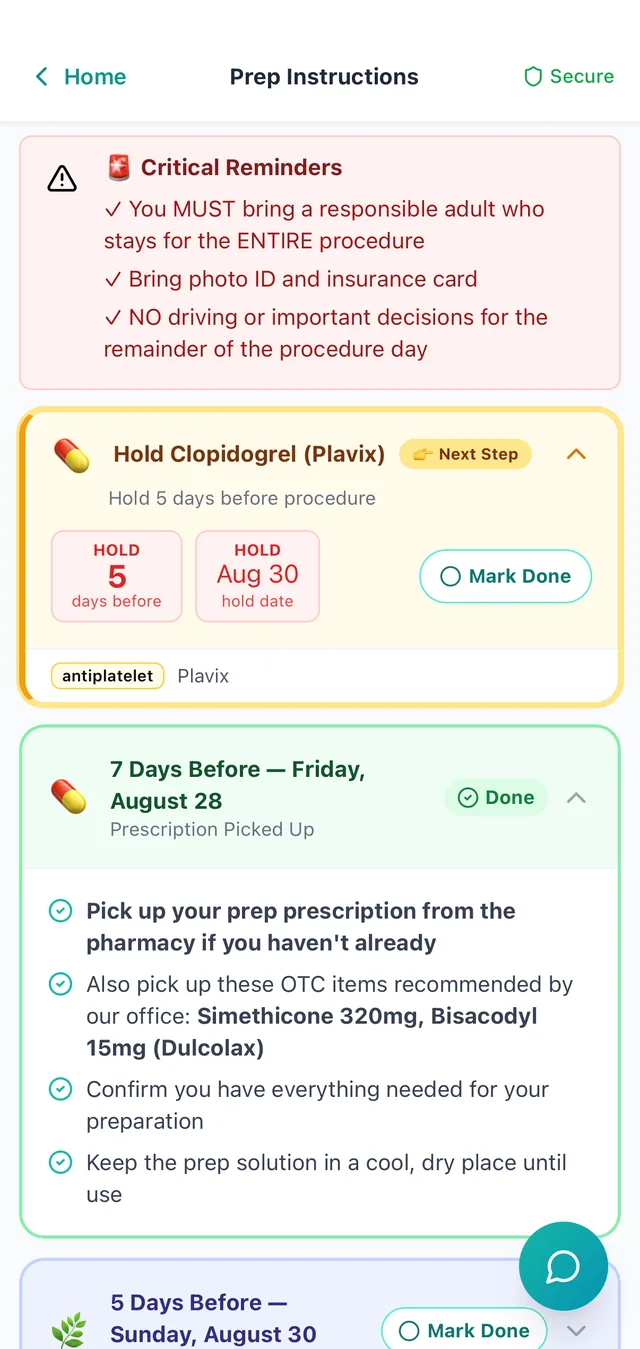
- Pickup is a dated step of its own, seven days out, so a pharmacy problem surfaces while there is still time to fix it
- The adjuncts the office recommends are listed on that same step — here simethicone and bisacodyl — so it is one trip, not two
- Storage is spelled out with them: keep the prep solution somewhere cool and dry until it is used
- Holds carry the rule and the date it resolves to — hold five days before, so hold by August 30 — with the drug class named alongside it
- Each hold is dated from that patient's procedure date; two medications on the same patient can stop on different days
When no high-risk medication is held
Silence is not an instruction.
When staff select no high-risk medication to hold, the patient is told so in the same place a hold would have appeared, and pointed to the dated steps below it.
- Stated as plainly as a hold is, rather than left as an absence the patient has to interpret
- Sits in the same position in the timeline, so nothing looks missing
- The card points to the dated steps, where iron, fiber supplements and anti-diarrheal medications are stopped
Prep assistant
Asked at 3pm, answered at 3pm.
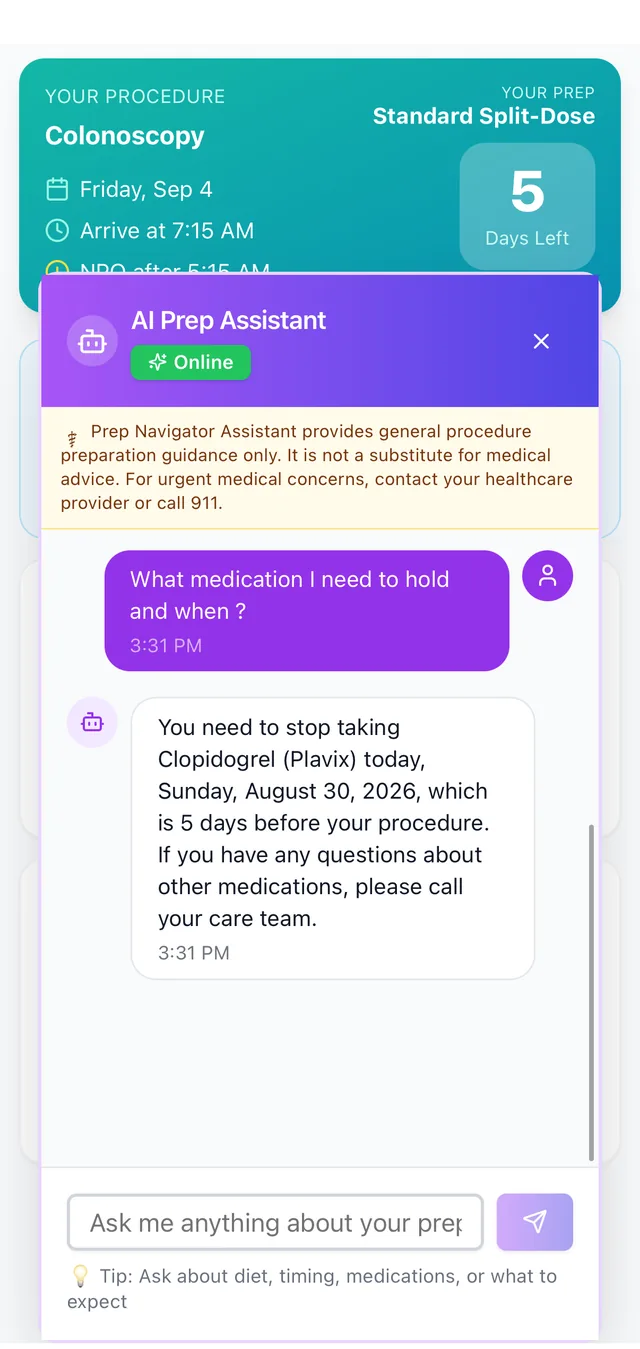
The assistant already knows which preparation the patient is on and which holds their timeline carries, so the answer it gives is theirs rather than a paragraph from a generic prep sheet.
- Answers against the protocol that patient is on, not a generic prep sheet
- Gives the medication, the date, and the interval behind it — stop Clopidogrel today, five days before the procedure
- Carries the disclaimer above every conversation: preparation guidance only, not a substitute for medical advice
- For anything beyond prep — other medications, urgent concerns — tells the patient to call the care team, or 911
When a step is missed
The system notices first.
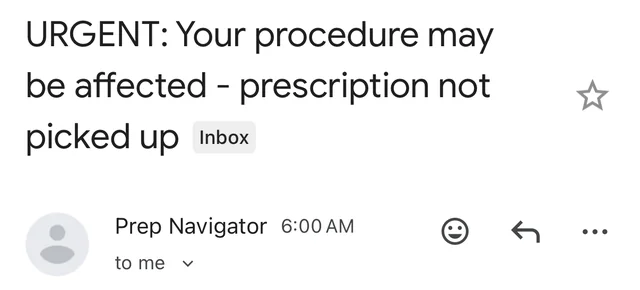
A step that comes due and is not marked done does not simply sit there. The patient gets an email that names what is outstanding, with the same progress the portal is showing.
- Sent because a step came due and was not marked done, not on a fixed drip schedule
- Names the step that is outstanding in the subject line, where it is read
- Repeats the same progress the portal shows, so the two never disagree
Not on this page
The half your staff uses.
Everything above is what the patient holds. The console your schedulers and nurses work in is the other half, and it is worth seeing against your own protocols rather than a screenshot of ours:
- The day's schedule and the roster of patients still short of ready
- Protocol configuration — your preps, your instructions, your hold rules
- Medication-hold rules, clearances and the exceptions your practice makes
- Questions patients have sent in, and what was answered
- Email, SMS and reminder logs, and the audit trail behind them
- OAS CAHPS survey collection and the reports your center runs on all of it